The building view, rebuilt
May was all about the building view. We rebuilt the asset detail view into a generous, linkable canvas — photo, attributes, and components of an asset in one place — added a one-step standard export, and tidied up the tables and capture assignment around them.
§ 01Highlights
What's worth a closer look.
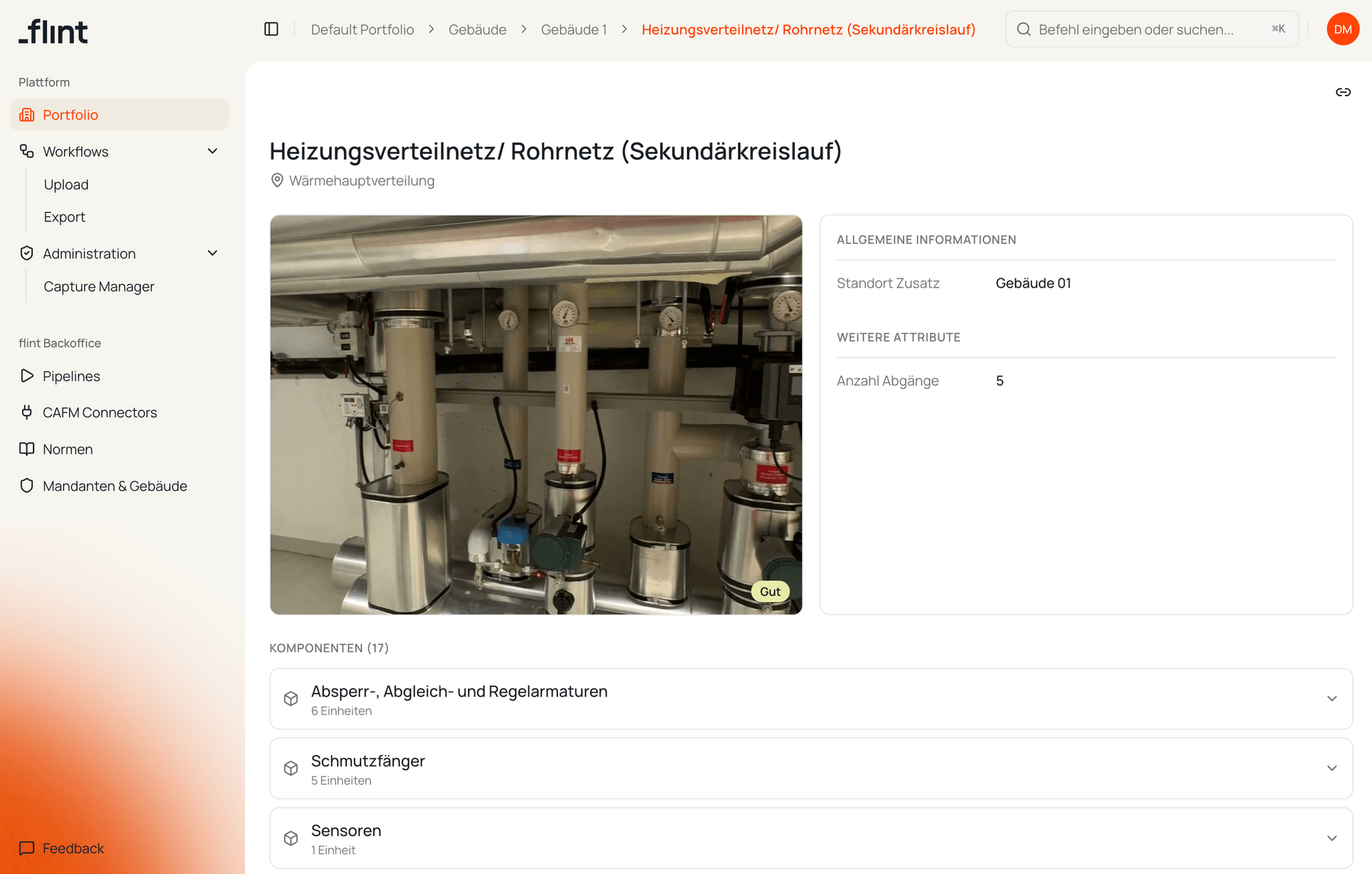
Asset detail view, rethought
Reviewing an asset's captured data no longer means squinting at a narrow side panel. The asset detail view now opens on a wide canvas — hero photo, attributes, and every component in a clean table below — so you can check what was captured against the source at a glance.
Every view also has its own link: open an asset in fullscreen, copy the URL, and a colleague lands exactly where you were.
Export your data in flint's standard format
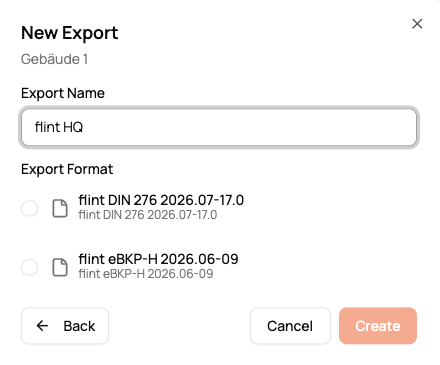
Getting your asset data out of flint no longer needs a custom mapping. The export page now ships with a predefined, flint-standardized format out of the box.
Step through the wizard and download a simple Excel file with your building's assets and components — ready to share or hand over, zero configuration.
§ 02Also
From the workbench.
Cleaner tables. Long text in the Export and Capture Manager tables now truncates neatly with an ellipsis (full text on hover) instead of spilling into the next column on narrow screens.
Assign before first sign-in. You can now assign a capture to a teammate who has never signed in — they no longer need to log in once before they're selectable.